Make it
match.
The few settings most sites change, and where to find them.
Six settings, the rest under More
Settings shows the six things most sites change. Everything else is under More settings.
- 1Look: choose Bloom or Blend.
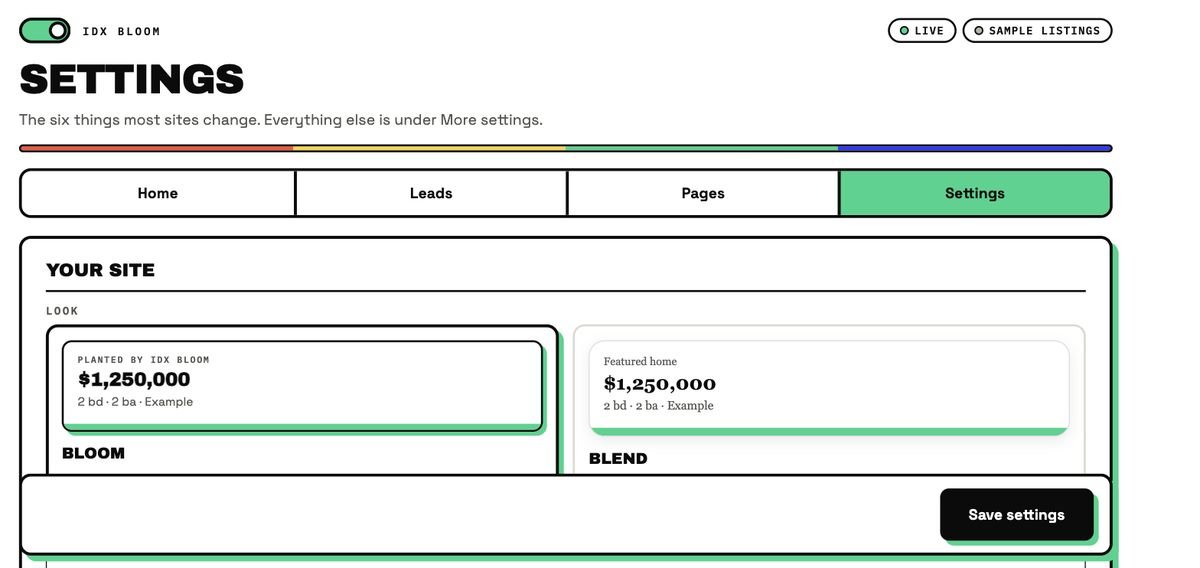
Bloom or Blend look
The Look setting switches the cards and blocks between Bloom (bold, with a hard mint shadow) and Blend (softer, to sit quietly in your theme). Brand fonts and colors show on your site.
Currency and units
Visitors can switch between USD and MXN, at a rate you set, and between ft² and m². The monthly cost calculator takes a starting rate you set, or lets the visitor type one.
WhatsApp and phone buttons
Add your WhatsApp number and phone in the setup step Who are you. They appear as one-tap buttons on every listing.
Disclaimer and attribution
Your MLS disclaimer shows on every page, brokerage attribution on every card, and a last-updated line on every page. These come with the plugin so you do not have to add them by hand.
Questions, answered
Does it work with my WordPress theme?
Yes. IDX Bloom is a WordPress plugin that works with your current theme, with no rebuild. Brand fonts and colors show on your site, and a Look setting lets you choose between a Bloom and a Blend style.
How do the currency and unit switches work?
Visitors switch between USD and MXN (at a rate you set) and between ft² and m². The calculator also has a foreign-buyer mode.
Does the calculator use a real interest rate?
You can set a starting rate, or leave it empty and the visitor types one. It is a planning estimate only, not a loan offer or financial advice.
Does it work in Spanish?
Yes. Search, listing cards, lead forms and grown pages all work in English and Spanish, with Spanish twin pages and hreflang between the two languages.
Does it follow Fair Housing rules?
It is built to plant by place, type and price, never by who lives somewhere or who a listing is for. You remain responsible for the words you add to your own pages and for following your MLS rules and the law that applies to you.
Does it edit my pages?
No. Listings are added when a page is shown, never saved into your content. Deactivate the plugin and every page returns to exactly how it looked before.