Plain words, English and Spanish
Both work, on the same search box. Spanish pages get Spanish text throughout.
Visitors type what they want the way they would say it. IDX Bloom turns it into filters they can see and change, in English or Spanish.
Pre-launch. Fictional listings until your MLS is connected.
This is the real search page on the live demo, with fictional listings. The numbers match the notes.
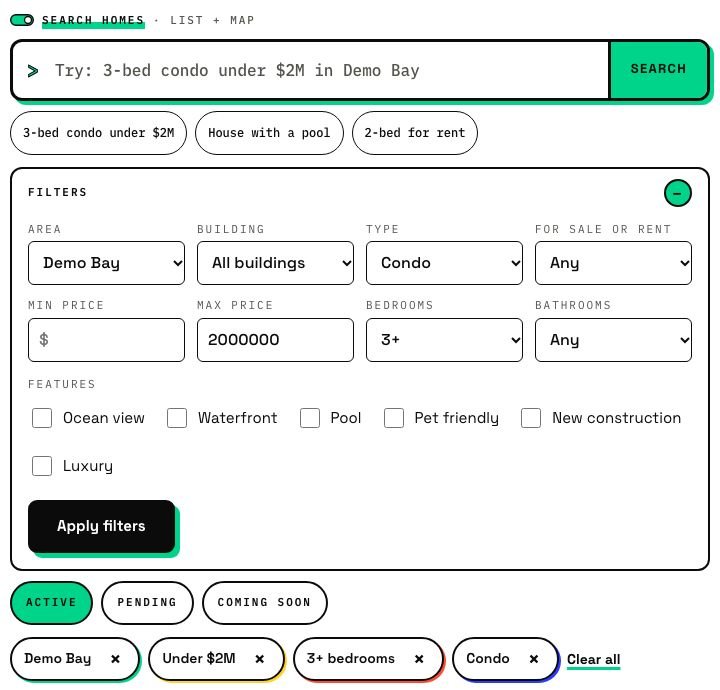
"3-bed condo with ocean view under $2M" or "condo de 3 recámaras con vista al mar". Same box, either language.
Bedrooms, type, price and place appear as chips, so nothing is hidden and nothing is guessed in secret.
Tap a chip to change it. If nothing matches exactly, the filters relax step by step instead of showing an empty page.
Both work, on the same search box. Spanish pages get Spanish text throughout.
Search by street address, listing number, or description words like "boat dock" or "cocina blanca".
What was understood shows up as chips, so a visitor can tap one to change it.
Filters relax step by step (bedrooms, then price, then type) before it falls back to a search box and a lead form.
A rules-based fallback reads searches without an AI connection. AI makes it smarter; it is not required.
Search shows active listings, with Active, Pending and Coming soon chips for visitors who want more.
A short guide, not a promise of every phrase.
| A visitor types | It is read as |
|---|---|
| 3-bed, 3 bd | Bedrooms: 3 or more |
| under $2M, $800k | A maximum price. Short forms like $1M and $800k are read correctly. |
| condo, house, townhouse | Property type |
| ocean view, pool | A feature checkbox, such as Ocean view or Pool |
| for rent, en renta | For sale or for rent |
| A place name | An area or a building |
| A street address or a listing number | A direct match |
| "boat dock", "cocina blanca" | Words from the listing description |
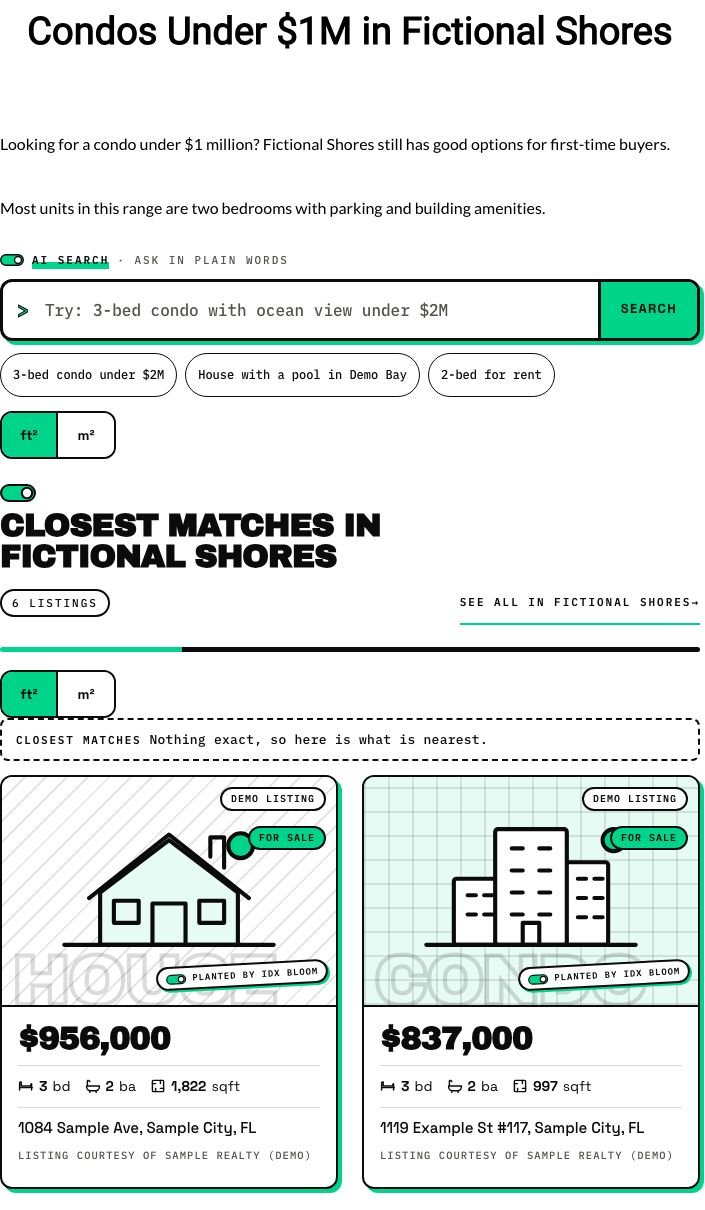
This blog post on the live demo asked for condos under $1M. Nothing matched exactly, so the page says so and shows the nearest matches instead of an empty grid.
| The old way | IDX Bloom | |
|---|---|---|
| Search box | A wall of filter boxes | One box in plain words, plus filters if you want them |
| Spanish | A separate translated site, or none | The same box and pages in Spanish |
| No match | An empty results page | Filters relax step by step; never an empty page |
| Setup | Build a search page and paste shortcodes | Placed for you on the pages it fits |
What they would say out loud, in English or Spanish: "3-bed condo with ocean view under $2M" or "condo de 3 recámaras con vista al mar". They can also type a street address, a listing number or description words like "boat dock" or "cocina blanca".
The search never ends on an empty page. If nothing matches exactly, the filters relax step by step (bedrooms, then price, then type) before it falls back to a search box and a lead form. A rules-based fallback also reads searches without an AI connection.
Yes. Search, listing cards, lead forms and grown pages all work in English and Spanish, with Spanish twin pages and hreflang between the two languages.
No. No API keys live on your site. AI features run through the IDX Bloom service, using your license key.
No. A rules-based fallback reads searches without an AI connection. AI makes it smarter, and it runs through the IDX Bloom service, not through keys on your site.
Correctly. Short forms such as $1M and $800k are read as one million and eight hundred thousand (fixed in version 1.1).
The demo runs the real plugin on fictional listings. Nothing on it is a real home.
Start a free pilot (no card), try the live demo with fictional listings, or join the waitlist.