Photo gallery and map on tap
A full photo gallery, and the map opens when the visitor taps for it, so the page stays light.
Everything a buyer needs on one page, and one tap from you: the gallery, the monthly cost, WhatsApp and a showing request.
Pre-launch. Fictional listings until your MLS is connected.
Real capture of a fictional listing on the live demo. The yellow banner says so on every sample page.
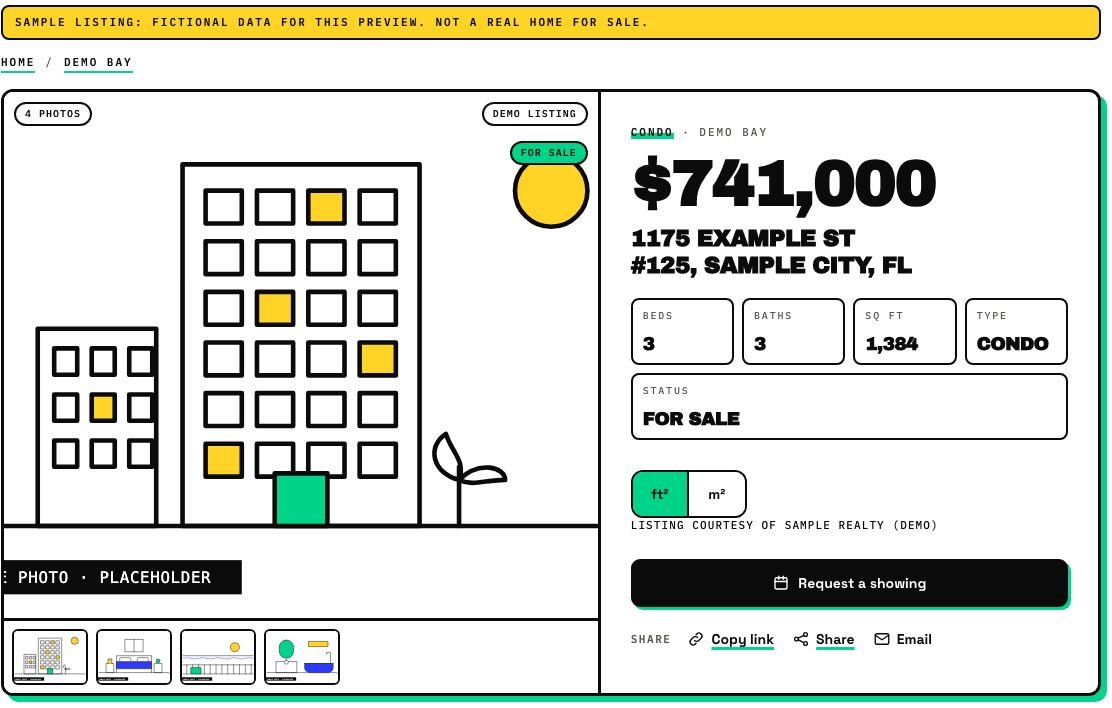
From a card on a search, a grown page or a planted grid.
Gallery, details, a map that opens on tap, the monthly cost estimate and similar homes.
Request a showing, WhatsApp, call or share. The lead lands in your inbox with context.
A full photo gallery, and the map opens when the visitor taps for it, so the page stays light.
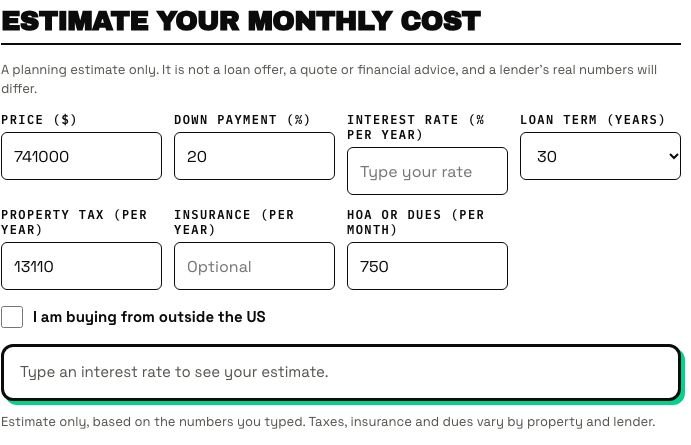
Includes a foreign-buyer mode. Set a starting rate, or leave it empty and the visitor types one.
Your WhatsApp and phone are one tap away on every listing.
Visitors can request a showing, open a tour link and share the listing.
Visitors switch currency (at a rate you set) and area units.
Brokerage attribution on every card, your disclaimer and a last-updated line on every page. Listings without a price show "Price on request".
Set a starting rate or leave it empty and the visitor types one. Useful for buyers from other countries, and switchable between USD and MXN.
| The old way | IDX Bloom | |
|---|---|---|
| Where it lives | A third-party address or an iframe | Your own domain, server-rendered, with structured data |
| Cost calculator | None, or a generic one | Built in, with a foreign-buyer mode |
| Currency and units | USD and ft² only | USD or MXN, ft² or m² |
| Contact | A form | Form, WhatsApp and call, one tap each |
| MLS rules | Add attribution by hand | Attribution, disclaimer and last-updated line built in |
From the listing data. Until your MLS is connected, sample listings show a clearly marked placeholder instead of a photo.
A tour button appears when the listing data includes a tour link.
Listings without a price show "Price on request".
Visitors switch between USD and MXN (at a rate you set) and between ft² and m². The calculator also has a foreign-buyer mode.
You can set a starting rate, or leave it empty and the visitor types one. It is a planning estimate only, not a loan offer or financial advice.
Yes. Brokerage attribution shows on every card, your disclaimer and a last-updated line on every page.
The demo runs the real plugin on fictional listings. Nothing on it is a real home.
Start a free pilot (no card), try the live demo with fictional listings, or join the waitlist.