Email sign-in link
Buyers sign in with a link sent to their email. No password to forget.
Favorites, saved searches and alerts, behind a simple email sign-in link, so a visitor today becomes a buyer you can follow up with tomorrow.
Pre-launch. Fictional listings until your MLS is connected.
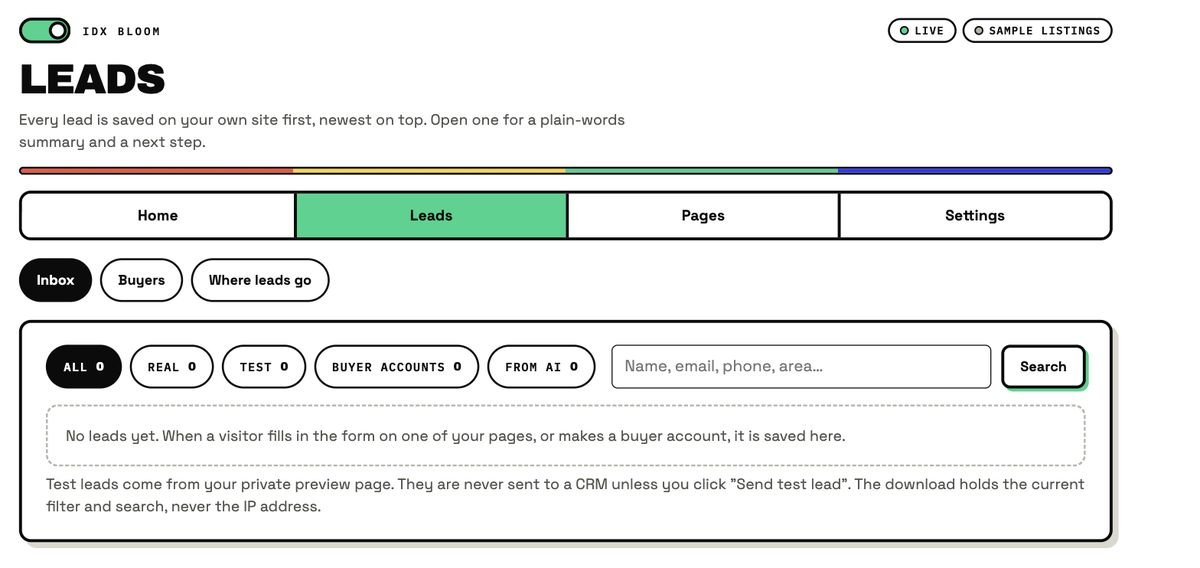
Buyers create accounts on your site. As the agent you see them in the Leads screen and on the Dashboard. This capture is from a fresh demo site, so the counts read zero.
No password. Consent is required when the account is created.
Hearts, saved searches, and Follow this area or building with a market snapshot.
"Hot right now" returning buyers and "Buyers searching your building", as totals only.
Buyers sign in with a link sent to their email. No password to forget.
Hearts on listings, kept on the buyer's account.
A saved search reopens the exact same map search.
Buyers follow a neighborhood or building and see a market snapshot for it.
Alert emails for saved searches and followed places stay off until you turn them on.
Consent is required at sign-up, and the plugin includes privacy export and erase tools.
| The old way | IDX Bloom | |
|---|---|---|
| Returning visitors | Anonymous: you never know who came back | Accounts, favorites and saved searches bring them back |
| Sign-in | A password to forget | An email link |
| What you learn | Only form fills | Totals of who is searching your building and who is hot right now |
| Privacy | Left to you | Consent at sign-up, export and erase tools |
No. Buyers sign in with a link sent to their email, so there is no password to forget.
No. A master email switch is off by default. Until you turn it on in Settings, buyer accounts say coming soon and hearts stay on the visitor's own device.
The Dashboard shows "Hot right now" returning buyers and "Buyers searching your building" as totals only, and the Leads inbox shows buyer-account leads in their own filter.
Yes. The plugin includes privacy export and erase tools for buyer accounts, and consent is required when a buyer creates an account.
Yes. Follow this area or building shows a market snapshot for it, and with alerts on, followed places can email the buyer.
It reopens the exact same map search, with the same filters and area.
The demo runs the real plugin on fictional listings. Nothing on it is a real home.
Start a free pilot (no card), try the live demo with fictional listings, or join the waitlist.