— Product tour

See it screen
by screen.

From the first install to Go live, here is what you will see, with a real screenshot and a link into the live demo wherever there is one.

The demo runs plugin version 1.5 with fictional sample listings.

1

Install and open Preview

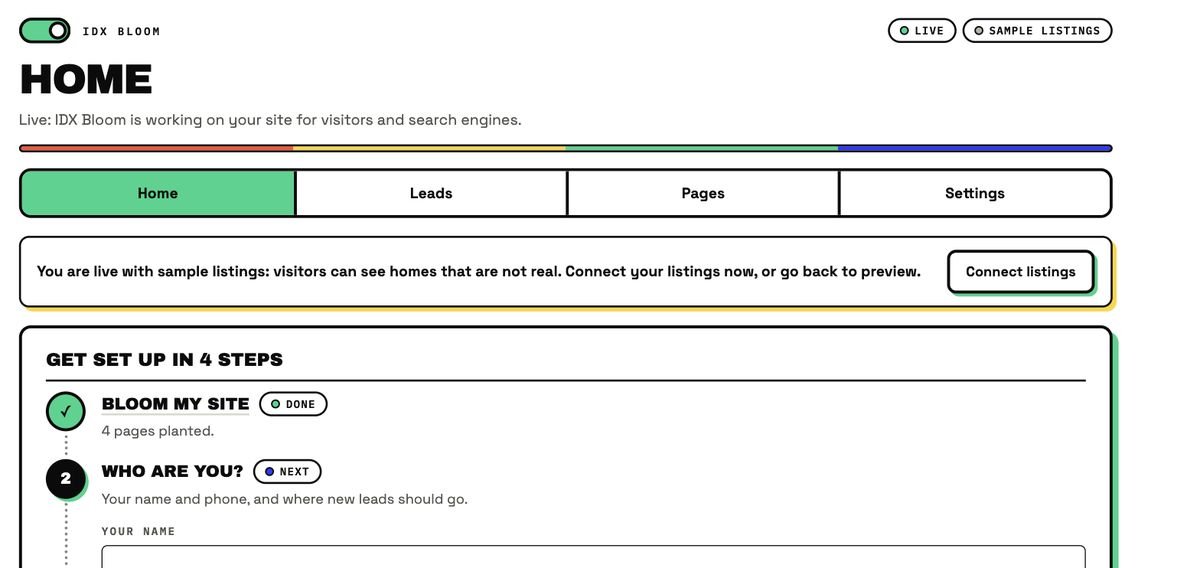
Upload the plugin, activate it and click See it on your preview page. A private page called IDX Bloom Preview opens, visible only to you while logged in, on sample listings. The Home screen walks you through four steps: Bloom my site, who you are, connect your listings, Go live.

Open the demo →
The Home screen of the plugin admin, showing a Live badge, a Sample listings badge and the four setup steps.
Plugin admin, sample data
2

It reads your pages

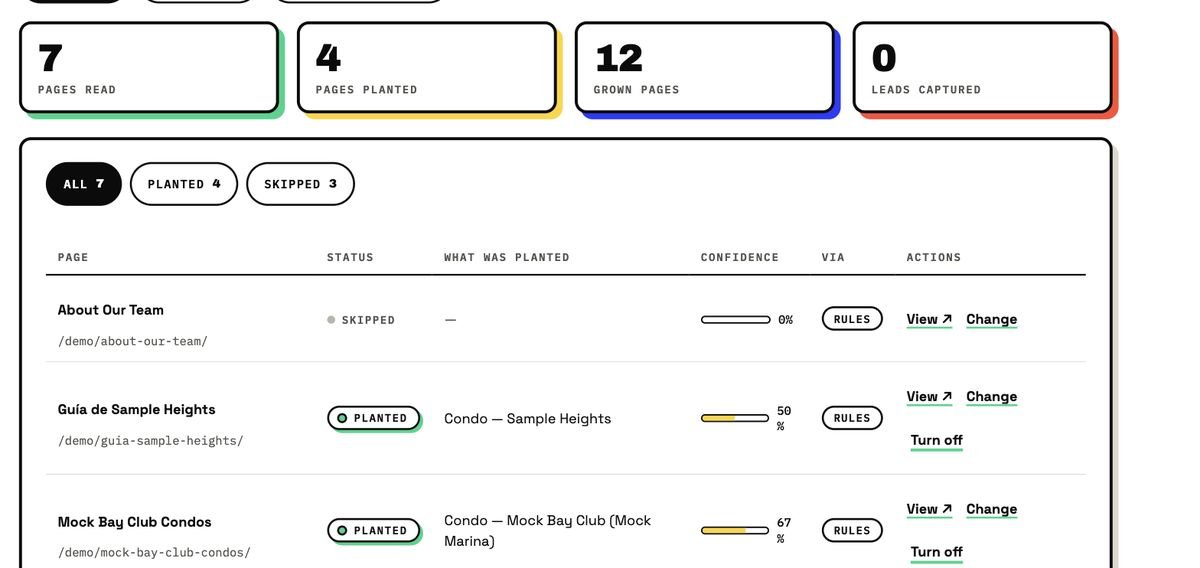
The Pages screen lists every page it read, what it planted there and how confident the match was. It counts pages read, planted, grown and leads captured.

The Pages screen: 7 pages read, 4 planted, 12 grown pages, 0 leads, with a table of pages, status and confidence.
Plugin admin, sample data
3

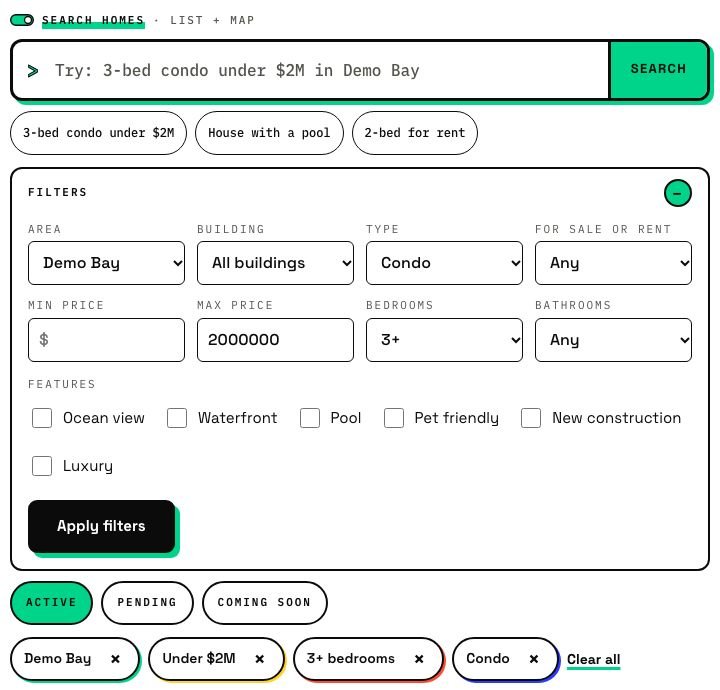
Search in plain words

Type a search the way you would say it, in English or Spanish, and watch it turn into chips you can change.

Try the search →
The search page with a plain-words box, filters and chips.
Live demo, fictional listings
4

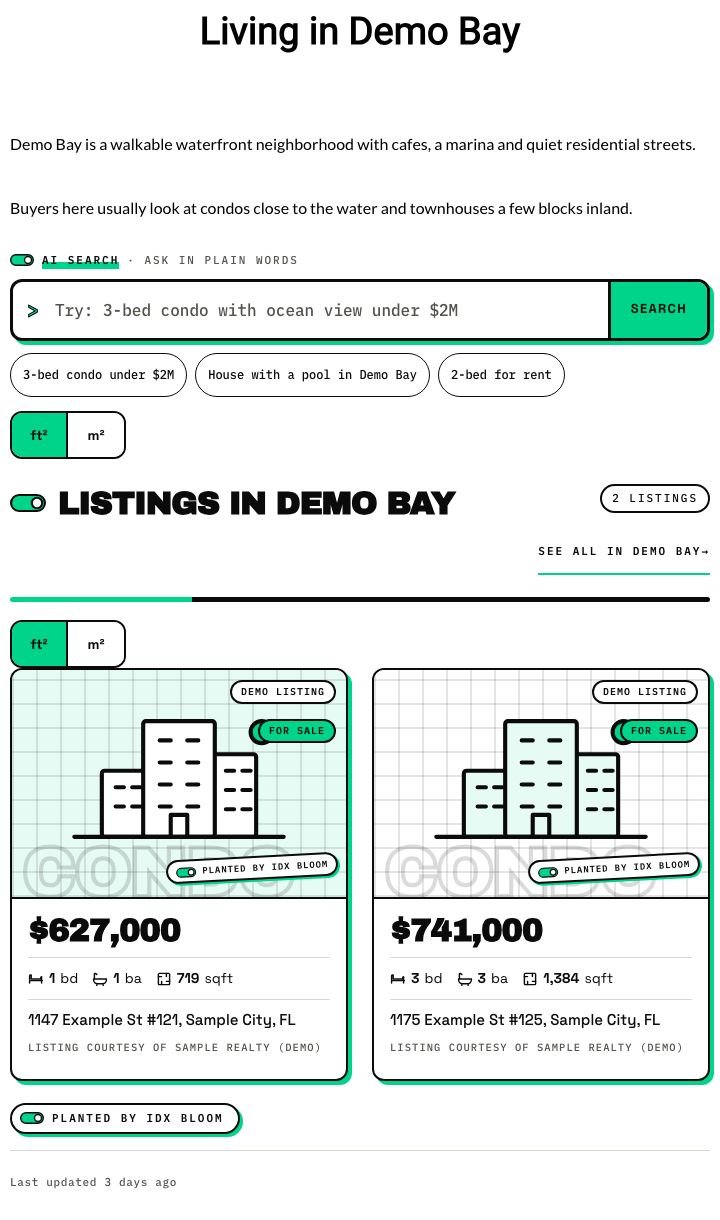
A page with a search and listings planted on it

A normal page about Demo Bay. IDX Bloom added the search box, the matching listings and a "Planted by IDX Bloom" stamp. Nothing was written into the page.

Open this page →
A neighborhood guide page with a search box and two planted listing cards.
Live demo, fictional listings
5

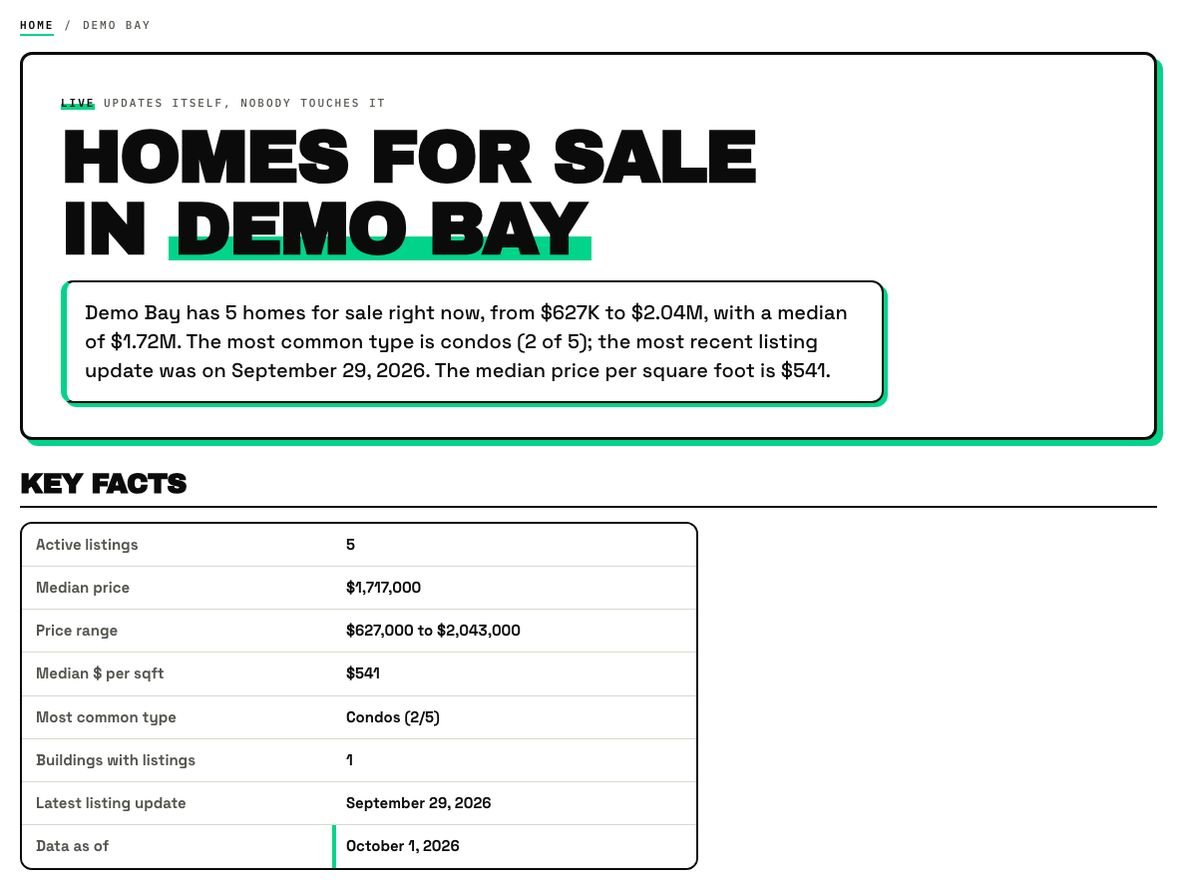
A page the plugin grew

A neighborhood page IDX Bloom grew by itself: a direct answer and a dated key-facts table, then buildings and listings.

See a grown page →
The top of a grown page with a direct answer and key facts.
Live demo, fictional listings
6

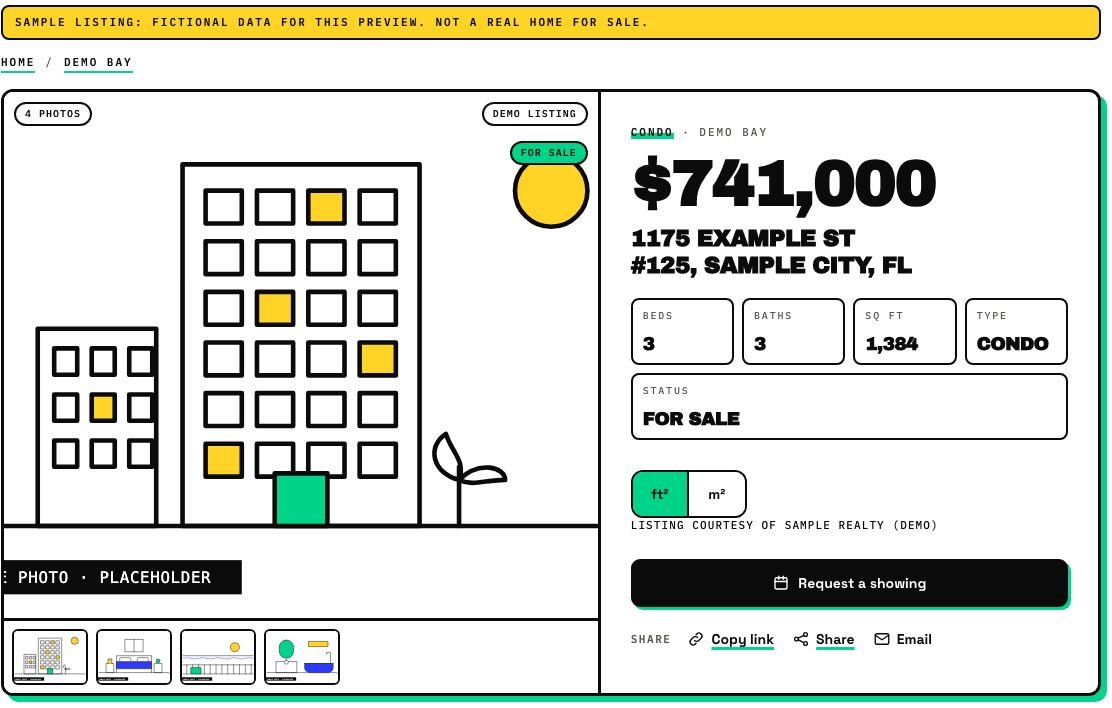
A listing page

Gallery, price and details, a map on tap, a monthly cost calculator, WhatsApp and call buttons, request a showing and share.

Open a listing →
A listing page with a gallery placeholder, price, beds, baths and a Request a showing button.
Live demo, fictional listings
7

Map, draw search and buyer accounts

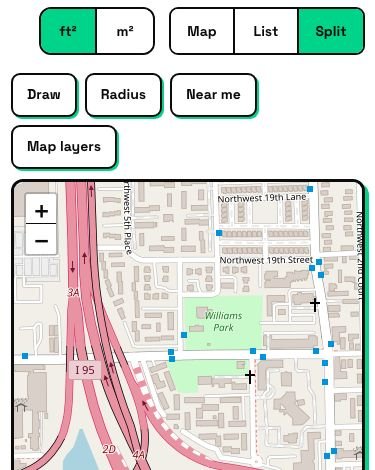
Price pins, draw an area, a near-me radius, and buyer accounts with favorites, saved searches and alerts.

Open the map search →
Map, List and Split view buttons, Draw, Radius and Near me tools, and a map.
Live demo, fictional listings
8

Leads with context

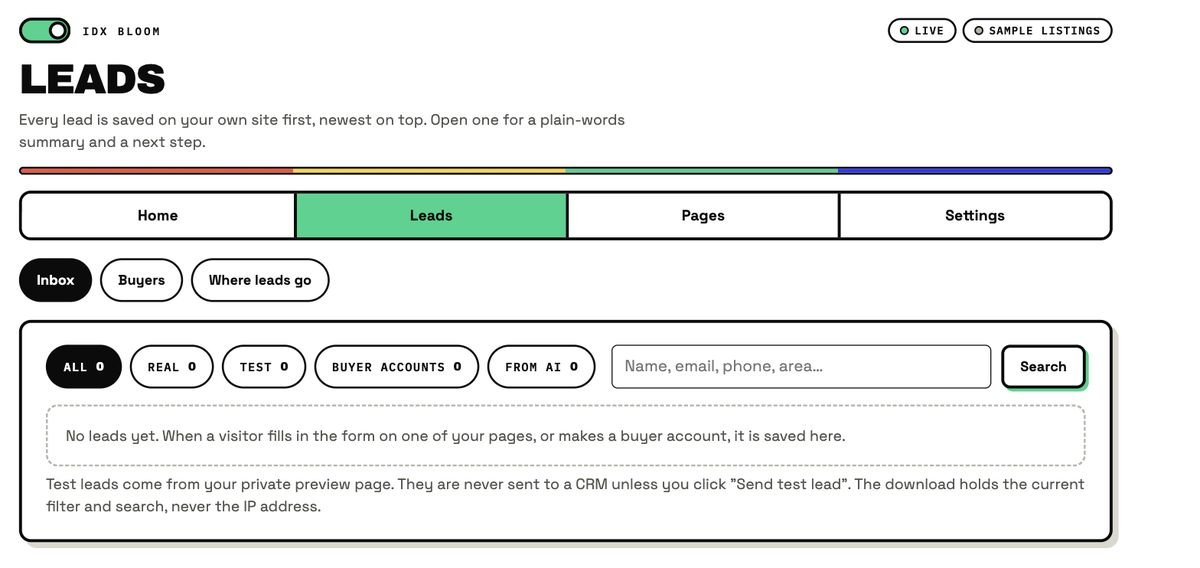
Every lead lands in the Leads inbox with the page, building, price range, language and source, and goes to your CRM or webhook.

See the Leads inbox →
The Leads inbox in the plugin admin.
Plugin admin, sample data
9

Settings, look and Go live

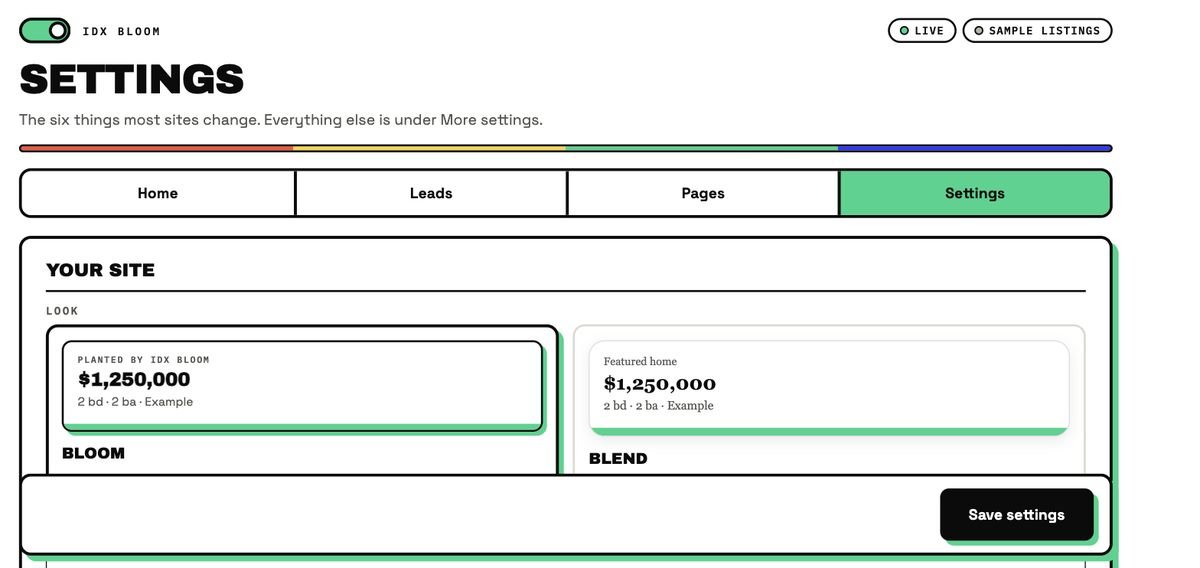
Six settings cover what most sites change, including the Bloom or Blend look. When you are ready, add your license key and click Go live, with an on-page confirm. Back to Preview is one click away.

Read the go-live steps →
The Settings screen with the Bloom and Blend look options.
Plugin admin, sample data
— FAQ

Questions, answered

What is IDX Bloom?

An AI-powered IDX plugin for WordPress real estate sites. You install it once; it reads every page, places the right listings, a plain-words search box and a lead form on it, and grows the neighborhood and building pages your site is missing, in English and Spanish.

Is IDX Bloom live yet?

Plugin version 1.5 runs on the live demo and on a real agent site, in Preview mode. IDX Bloom is in pre-launch: it opens first in a small group of pilot markets, and live MLS listings need an approved data connection. You can start a free pilot, no card.

Will visitors or Google see anything while I test?

No. In Preview mode IDX Bloom only runs on one private page that only logged-in editors and admins can open. It adds nothing to robots.txt, your sitemap or any other page.

Do I need a developer?

No. In WordPress go to Plugins, Add New, Upload Plugin, choose idx-bloom.zip, then Install Now and Activate. Open IDX Bloom in the admin menu and follow the four setup steps. A developer or agency can do it for you, but it is not required.

Does it edit my pages?

No. Listings are added when a page is shown, never saved into your content. Deactivate the plugin and every page returns to exactly how it looked before.

Does it work in Spanish?

Yes. Search, listing cards, lead forms and grown pages all work in English and Spanish, with Spanish twin pages and hreflang between the two languages.
— Keep going

Related pages

See it on your own site.

Start a free pilot (no card), try the live demo with fictional listings, or join the waitlist.