Pages you are missing, grown for you
Neighborhood and building pages with real counts, price range, median price and price per square foot.
Most agent sites have a handful of pages and hundreds of places buyers search for. IDX Bloom grows the neighborhood and building pages for you, from real listing data.
Pre-launch. Fictional listings until your MLS is connected.
The same page continues with a buildings table and the listings, then an FAQ and the structured data that the page carries.
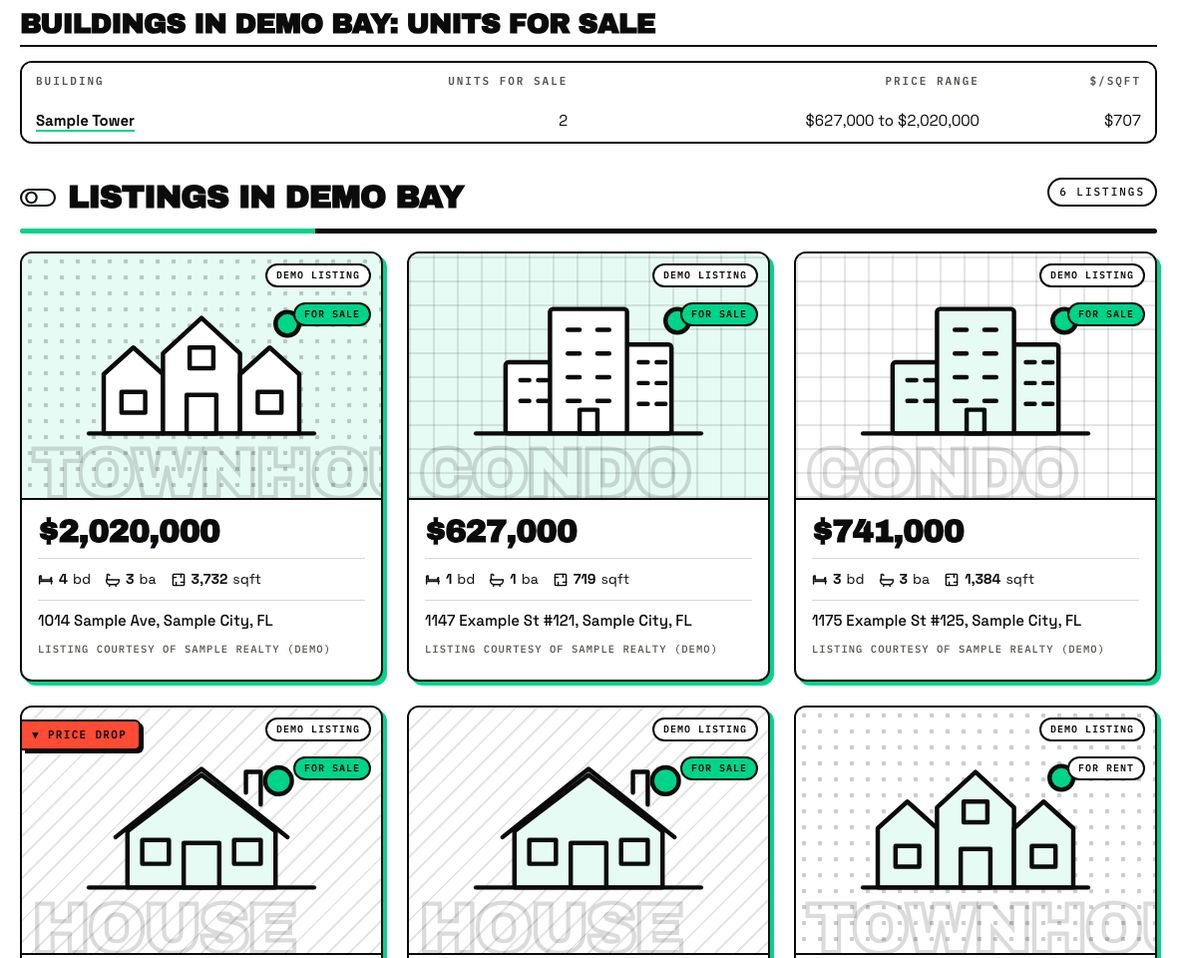
This page was not written by hand. IDX Bloom grew it from the demo's listing data. Real capture, fictional listings.
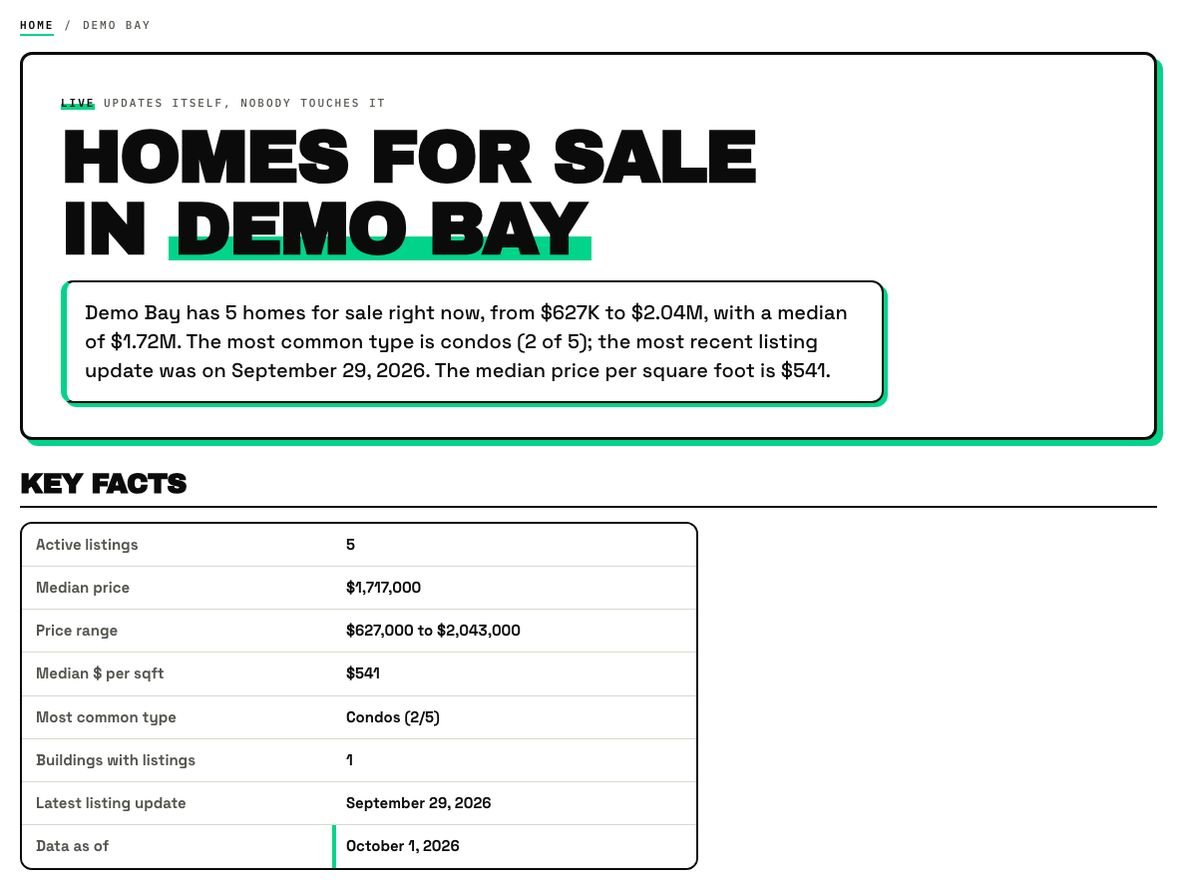
It reads your site and your listing data and sees which areas and buildings have real listings but no page.
A direct answer, a dated key-facts table, a buildings table, listings, an FAQ and structured data, linked to your other pages.
It opens to Google only when it has real listings behind it, you approve it and you add your own take.
Neighborhood and building pages with real counts, price range, median price and price per square foot.
A page is opened to Google only when it has real listings behind it, you approve it and you add your own take.
Grown pages link to each other and to the pages you already have, so visitors and crawlers can follow them.
When Spanish is ticked, each page gets a Spanish twin with hreflang between the two.
Key facts carry a date and refresh as listings and prices change.
IDX Bloom never edits your existing pages. Turn it off and every page is exactly as it was.
Six parts, always in the same order, so a reader and a crawler both know where to look. Numbers 1 to 3 and 4 to 6 match the captures above; the FAQ and the structured data sit below the listings.
The structured data is one clean graph, with listing markup for planted grids.
Grown pages wait behind a gate. You see them in the Pages screen, add your own take, and approve. Sample data never creates pages Google can see.
In the demo's admin the Pages screen lists every page read, planted or skipped, with how confident the match was.
| Page type | What it covers | Status |
|---|---|---|
| Area page | A neighborhood or area: counts, median price, range, price per sq ft, buildings and listings | In 1.5 |
| Building page | One building: units for sale, price range and the listings in it | In 1.5 |
| Spanish twin | A Spanish version of each page, with hreflang between the two | In 1.5 |
| A hotsheet or saved search | A grown page | |
|---|---|---|
| Who builds it | You, by hand, for each area | IDX Bloom grows it from your data |
| What it is | A filtered list of listings | A full page: answer, dated facts, buildings, listings, FAQ |
| Who sees it | Anyone with the link | Google only after you approve it |
| The old way | IDX Bloom | |
|---|---|---|
| Area and building pages | Written by hand, one at a time | Grown from your listing data |
| Freshness | Whenever you remember | Key facts carry a date and refresh as listings change |
| Spanish | Translate every page yourself | A Spanish twin with hreflang |
| Control | Publish, hope, fix later | Nothing opens to Google without your approval |
It depends on your listings. A neighborhood or building page is only grown when real listings are behind it. The Pages screen in the plugin shows what was read, planted and grown on your site.
You do. A grown page is only opened to Google when it has real listings behind it, you approve it and you add your own take.
No. Listings are added when a page is shown, never saved into your content. Deactivate the plugin and every page returns to exactly how it looked before.
Sample listings are never indexed. In Preview mode nothing is added to robots.txt, your sitemap or other pages, and a grown page stays closed until you approve it. IDX Bloom does not promise rankings.
Close in spirit, different in kind. A hotsheet is a saved search you build by hand. A grown page is a full page with a direct answer, dated key facts, a buildings table, listings and an FAQ, grown for you and opened only after you approve it.
Yes. Search, listing cards, lead forms and grown pages all work in English and Spanish, with Spanish twin pages and hreflang between the two languages.
The demo runs the real plugin on fictional listings. Nothing on it is a real home.
Start a free pilot (no card), try the live demo with fictional listings, or join the waitlist.