Plain-words search, EN + ES
Buyers type it like they say it, in English or Spanish. No wall of filter boxes.
IDX Bloom reads every page of your WordPress site, works out what each one is about, and plants the right live listings and lead capture there by itself. It grows the neighborhood and building pages you're missing, keeps them fresh, and writes them so Google and ChatGPT can read them. In English and Spanish.
No live listings yet, coming soon. Made by Ciao Bella Marketing.
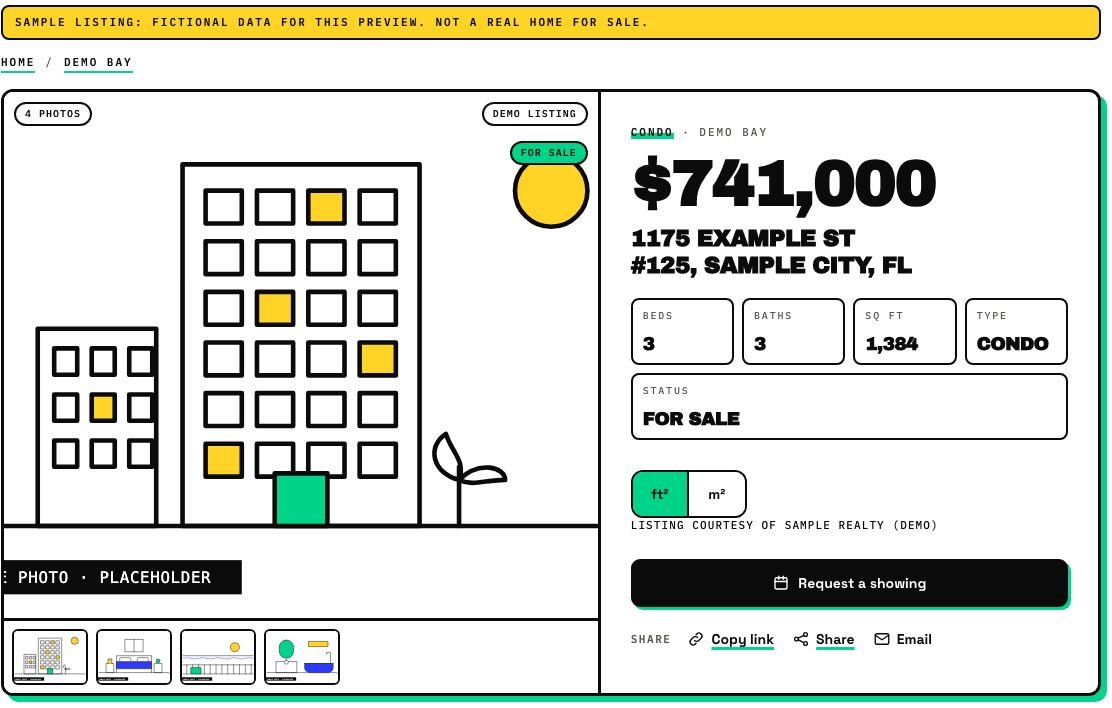
Illustration: sample pages, not live data
Every screenshot on this site is a capture of the live demo, which runs plugin version 1.5 on fictional listings.
Take the product tour Open the live demo
Like mushrooms after the rain. Minus the smell.
Add the plugin to your WordPress site. No rebuild, no new theme, no developer.
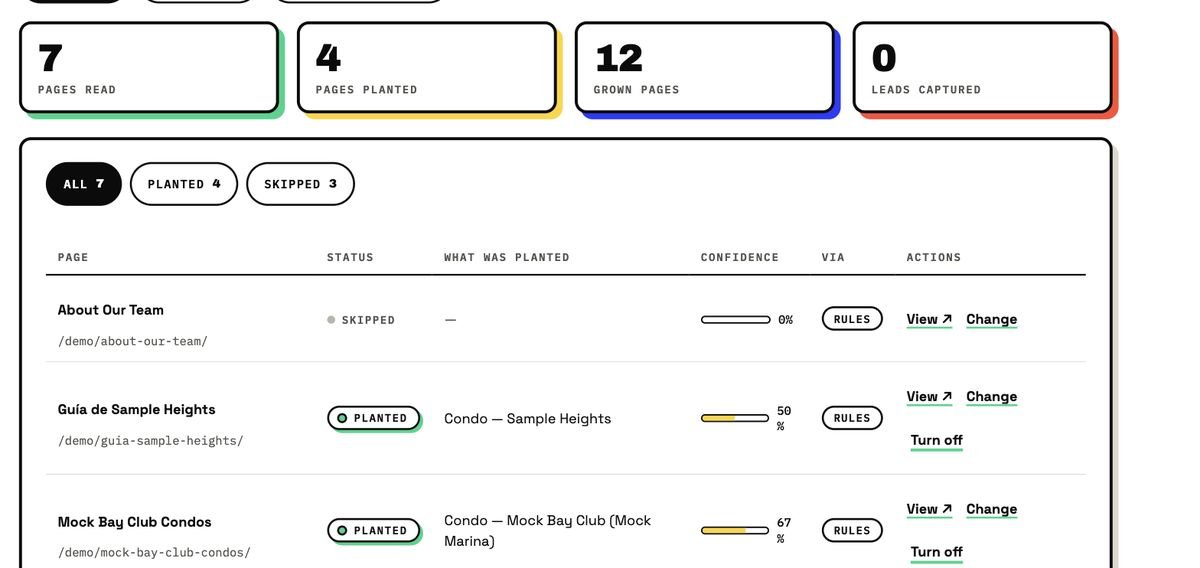
It scans your site and works out what each page is about, a neighborhood, a building, a price range, a blog topic.
Live listings and a lead form show up on the pages they belong on, automatically, without editing a single page.
Missing neighborhood and building pages get created and linked together. New listings and price changes keep everything fresh.
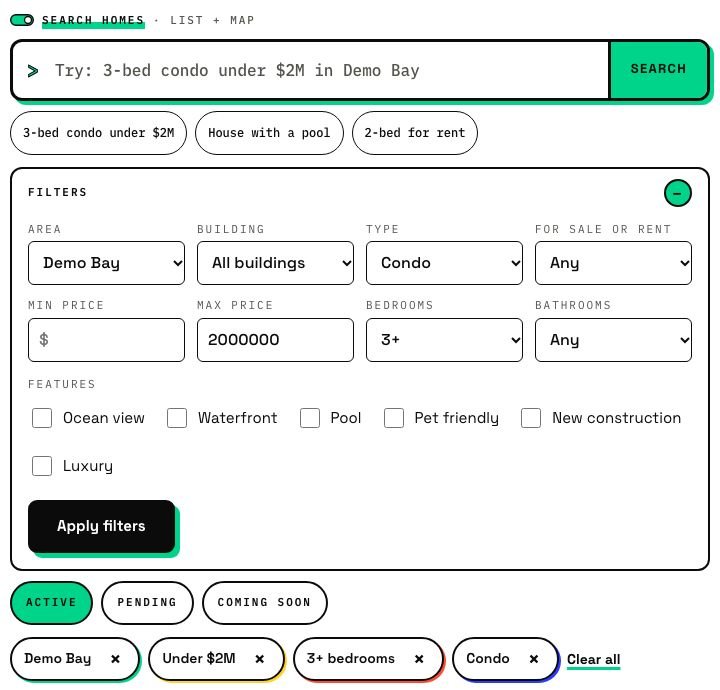
No filter panels. Type the way a buyer actually talks, in English or Spanish.
Sample results
This demo parses your query right in the browser and shows sample cards, it isn't connected to live MLS data yet.
IDX Bloom reads the title, spots the area, type and price, and plants what belongs there. This is a sample, no real listings.
What it detected
What it would plant (sample listings)
Sample only: listings, prices and building names are made up to show the idea. IDX Bloom never targets listings at any group of people (Fair Housing).
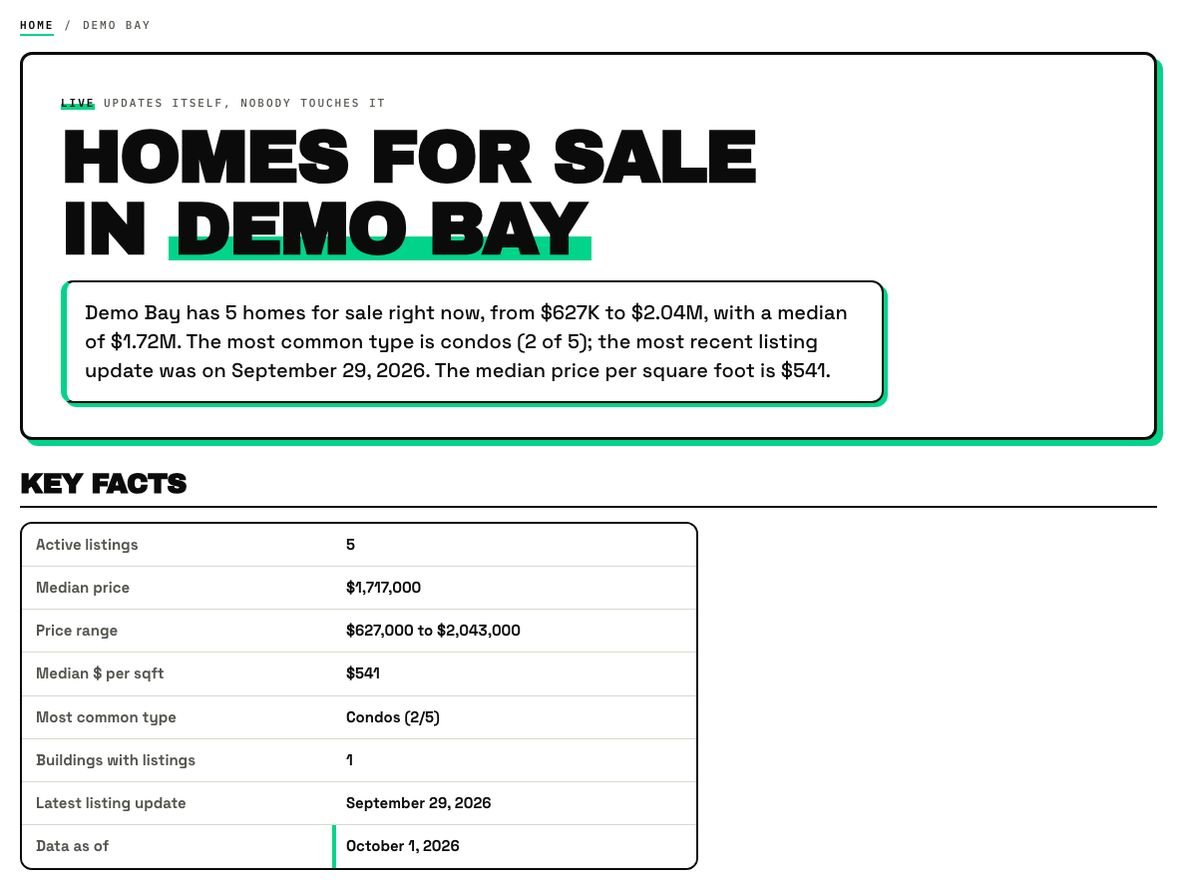
Six parts, always in the same order: a direct answer, dated key facts, a buildings table, listings, an FAQ and structured data.
Traditional IDX is a to-do list. IDX Bloom is a button. Go on, press it.
Ready: 1 click, 0 chores.
Every page IDX Bloom plants or grows is server-rendered, real text, not an iframe, with structured data (schema.org) and English + Spanish content. That's what search engines and AI answers need to cite you.
youragency.com › brickell-condos
Brickell Condos for Sale: Local Guide | Your Agency
Condos by building, with a dated key-facts table. Sample listing data marked up so search engines can read it.
{ "@type": "RealEstateListing",
  "name": "Sample Tower, Brickell",
  "numberOfBedrooms": 3,
  "inLanguage": "en" }
Real HTML on first load, not a widget waiting on JavaScript.
Listing, building and FAQ markup so search engines and AI answers understand the page.
English and Spanish pages, written for the way buyers actually search.
Many IDX tools put the search in a frame from another domain, so a crawler reaches your page and finds almost nothing. IDX Bloom writes the listings into real pages on your domain.
Then the AI Visibility panel measures AI visits and the leads that came from AI answers. We measure it. We never promise it.
Buyers type it like they say it, in English or Spanish. No wall of filter boxes.
Missing neighborhood and building pages get created, linked together and kept current.
Every lead arrives with the page, building and price range, plus a short summary in English or Spanish, then goes to your CRM.
Key facts carry a date, and pages refresh as your listings and prices change, once your MLS is connected.
Attribution, disclaimers and data-feed rules are part of the plugin, not an afterthought.
Real server-rendered pages on your own domain, so search engines can read every word.
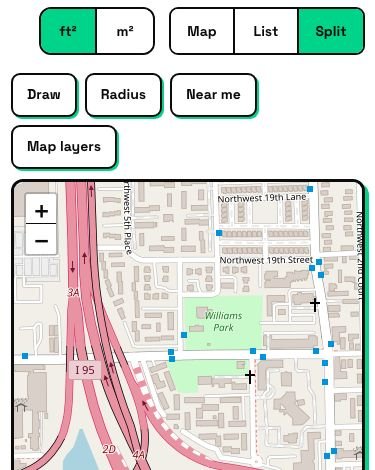
Price pins, draw an area, near-me radius, shareable links.
Gallery, cost calculator, WhatsApp and call buttons, request a showing.
Favorites, saved searches, follow an area, alerts.
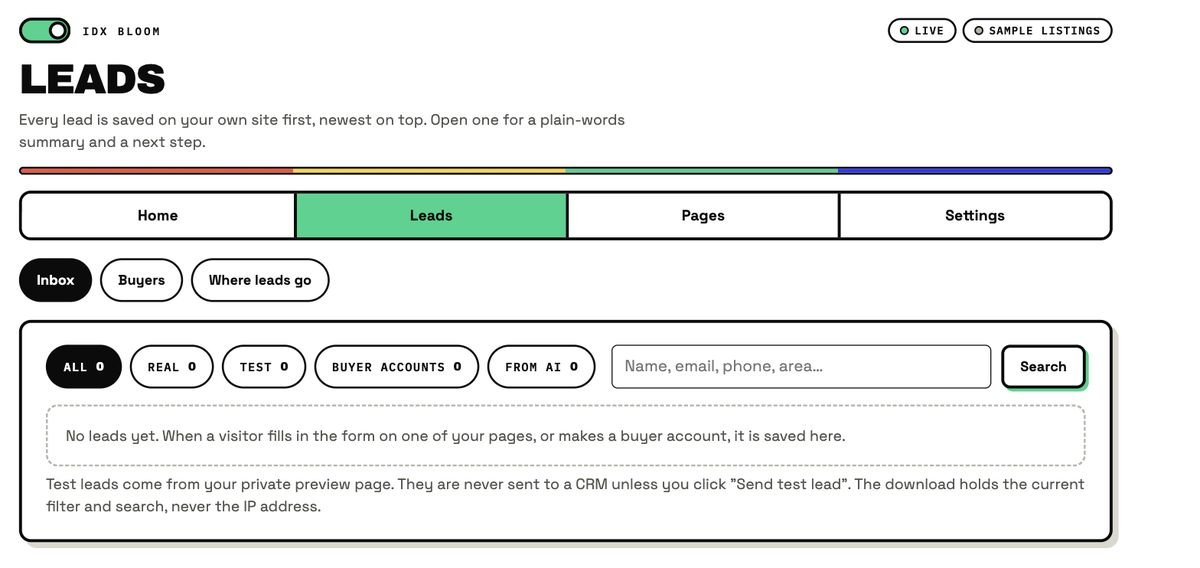
Every lead with the page, building, price range and language.
Seven CRMs, a webhook and email.
AI Access Doctor and an AI Visibility panel. Measured, never promised.
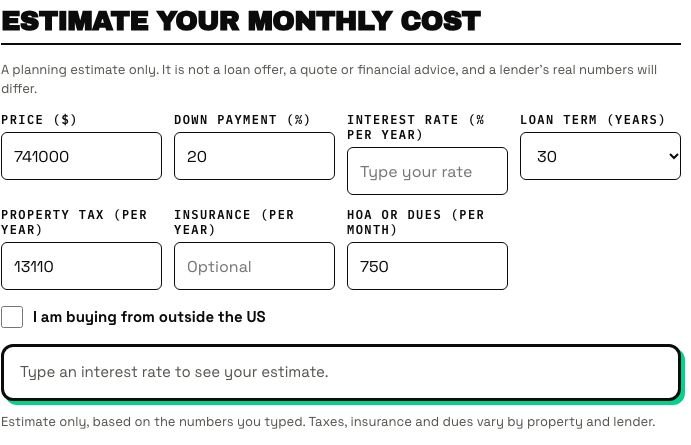
Map and draw search, and a monthly cost calculator with a foreign-buyer mode.
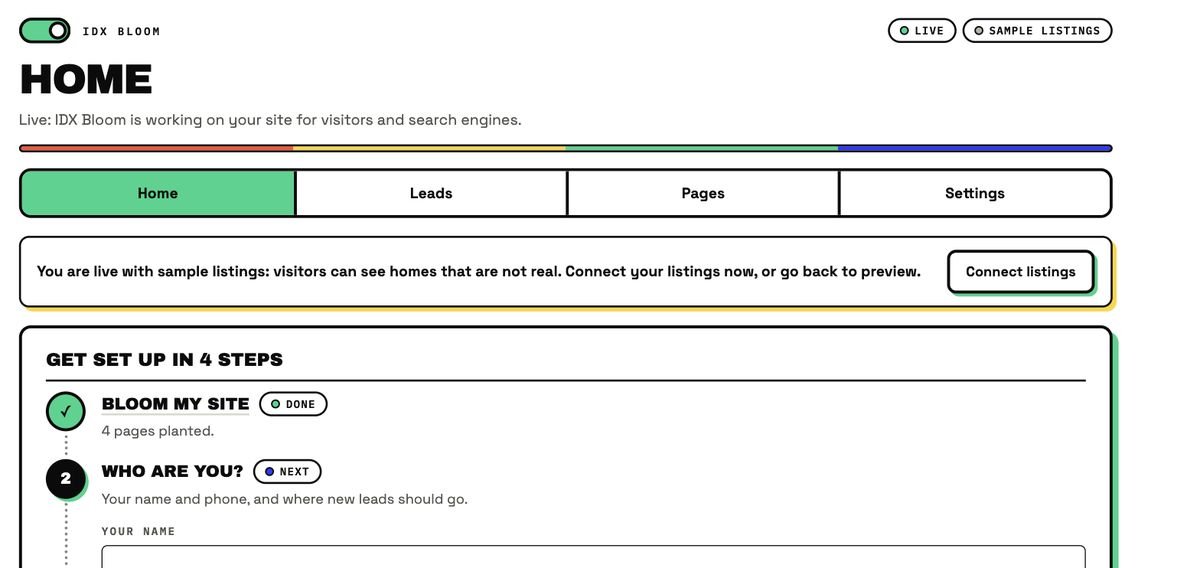
A four-step setup, a Leads inbox, and a Pages screen. Four menus: Home, Leads, Pages, Settings.
Search, listing cards, lead forms and grown pages all work in both languages, with Spanish twin pages and hreflang.
"3-bed condo with ocean view under $2M"
It becomes chips a visitor can change:
3+ bedroomsCondoOcean viewUnder $2M"condo de 3 recámaras con vista al mar hasta $2M"
Same box, same chips, and the page answers in Spanish:
3+ recámarasCondoVista al marHasta $2MIDX Bloom comes from Ciao Bella Marketing, the team that has been building real estate marketing since 1999.
We joke around. The work is serious.
| Traditional IDX | IDX Bloom | |
|---|---|---|
| Setup | Build search pages by hand, paste widgets and shortcodes | Install once, it plants itself |
| Search | A wall of filter boxes | Plain words, English and Spanish |
| Pages Google can read | Often an iframe search widget | Real server-rendered pages with structured data |
| Content | Raw MLS text | Optional AI text (where the MLS allows it) and bilingual pages |
| Leads | A contact form and an email | A leads inbox with context, sent to your CRM |
| Growth | Static: you build every page yourself | Grows the pages you're missing and keeps them updated |
Your own site, working for you.
A shared Leads inbox, with your CRM on the other end.
A rollout across many agent sites.
Install on the client sites you already manage.
No logos, no testimonials, no customer counts, because there are none yet. What there is: a working plugin you can click through, a status page that tells the truth, and room for a few agents to start with us. Founding terms are shared at signup.
An AI-powered IDX plugin for WordPress real estate sites. You install it once; it reads every page, places the right listings, a plain-words search box and a lead form on it, and grows the neighborhood and building pages your site is missing, in English and Spanish.
The MLS is the shared database of listings that brokers use. IDX is the set of rules and the data feed that lets MLS participants show those listings on their own websites. IDX Bloom is the plugin that does the showing on your WordPress site.
IDX Bloom is a plugin for the WordPress site you already have. It does not replace your site or your theme. Website templates for agents who have no site yet are coming soon, but they are not built.
No. In WordPress go to Plugins, Add New, Upload Plugin, choose idx-bloom.zip, then Install Now and Activate. Open IDX Bloom in the admin menu and follow the four setup steps. A developer or agency can do it for you, but it is not required.
Yes. IDX Bloom is a WordPress plugin that works with your current theme, with no rebuild. Brand fonts and colors show on your site, and a Look setting lets you choose between a Bloom and a Blend style.
No. Listings are added when a page is shown, never saved into your content. Deactivate the plugin and every page returns to exactly how it looked before.
An iframe shows a search from another domain inside a frame, so crawlers mostly see an empty frame. IDX Bloom builds real, server-rendered pages on your own domain, with no iframes and no subdomains.
To show real MLS listings, yes. IDX rules let only MLS participants, or agents under a participating brokerage, display listings. The sample listings work for anyone.
We do not publish a coverage list, because we will not promise coverage we cannot confirm. Tell us your MLS and we will tell you where it stands.
Yes. Search, listing cards, lead forms and grown pages all work in English and Spanish, with Spanish twin pages and hreflang between the two languages.
Plugin version 1.5 runs on the live demo and on a real agent site, in Preview mode. IDX Bloom is in pre-launch: it opens first in a small group of pilot markets, and live MLS listings need an approved data connection. You can start a free pilot, no card.
We cannot promise either. IDX Bloom makes your pages easier to read, verify and quote, and its dashboard tools measure results instead of guaranteeing them.
We're starting with a small group of pilot markets. Join the waitlist and tell us yours.